How to Kill an ABAP Developer???
Simple Go and Remove F6, F7 keys from his/her keyboard. J He will get the most painful death.
(**we used to crack this joke in our ABAP Training)
After my 3 weeks of ABAP training it was my first day in office .My so called Guruji came to my desk and gave me a standard function module and told me that this function module is called from the APO system you need to debug it.
I did not even know how to debug a normal function module and this guy wants me to debug the RFC enabled function module!!!!!
So This Article is dedicated to All my friends who is facing the issue with typical Debugging J.This article covers RFC, portal, update task and background job debugging.
Debugging a Remote enabled Function module application.
Suppose you want to debug a function module which is there in APO system from the R/3.
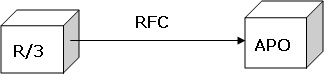
(FYI: As you all know this RFC Destination is maintained via transaction code SM59 )
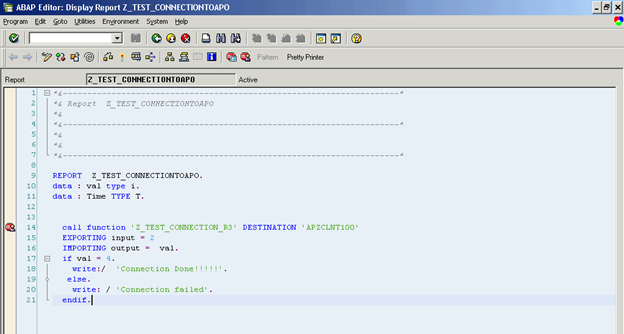
So here you can see the R/3 Program which is calling the APO Function module Z_TEST_CONNECTION_R3.
As you can see in the below image, keep the external break-point in your program before it calls the RFC enabled Function module.
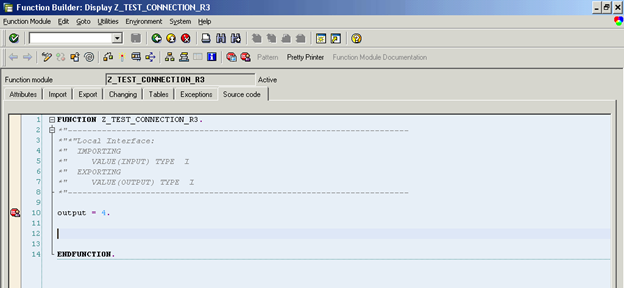
Now login into the APO system where you’re remote enabled function module exist and put an external break-point.
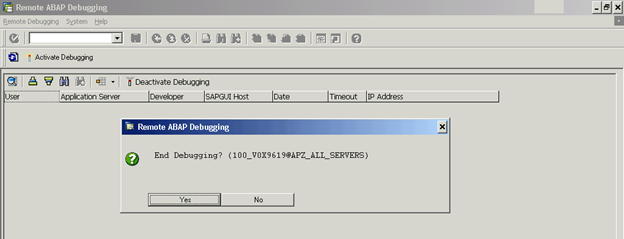
Now go to Transaction code: SRDEBUG and click on the Activate Debugging Button:
It will give you a pop up which confirm your id, application server etc…. click enter which will give you another popup as shown in the below image. Keep it as it is.
Now go to your Report program in R/3 system and Execute it , it will open debugger , when you press F5 key to go inside the RFC Function module it will start debugging in APO system.
How to debug a portal application
Assume that there is a Java based application which is using HTML/JSP as its user interface and intern it uses the Java code to call the ABAP RFC enabled function module. So when user click on the submit or search option it fetches or update the data inside the ABAP system.
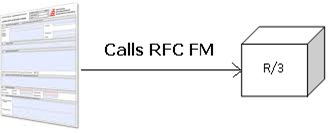
As compare to RFC Debugging from R/3 to APO here it’s somewhat tricky as here the user is not same, As Portal application and ABAP will not see the same user id.(***It depends but mostly it will not be same)
You need to consult with portal designer and needs to set your user id as the default user when you submit the FORM in portal. Once both the JAVA and ABAP system uses the same user id you just needs to put the external break point in your ABAP System it will stops when this RFC is called.
How to debug the background job
There are two ways to debug the background job
Option: 1. Open the running job in SM37 and select it . Enter “JDBG” in the command line and click enter. It will start the abap debugger.
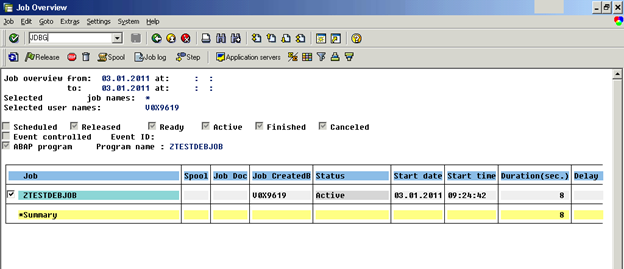
Option: 2. Go to Transaction code SM50. Select your job which you want to debug as shown in the below image.
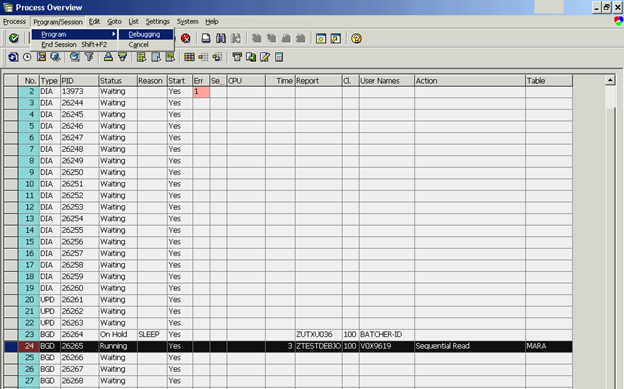
It will give you a popup for asking whether you want to debug the program or not and in few seconds it will open the debugger screen .
How to Debug an Update Function Module:
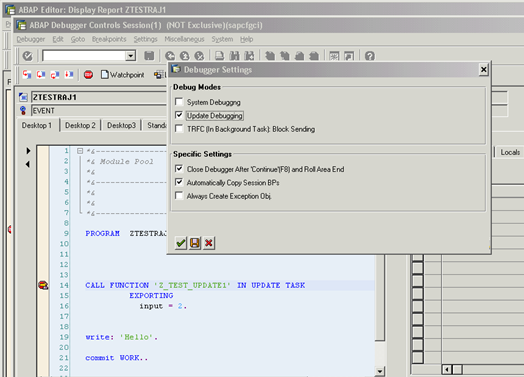
As you know update function module is called when a commit work is happend.To Debug an update function put a break-point just above the update function module and executes the program. Go to the property of the debugger (Setting-> Display/change debugger setting) and select the flag “Update Debugging”.
When program encounter a Commit work statement it will start the debugger in new window for the update function module.
Tips and Tricks related to Debugger.
If you want to jump to a specific line of code just put your cursor on the desired line and click on the Shift+F12 .It will start the execution of the program/code from that line (Not if you are skipping the lines ,those peace of code is not executed so that code is as equal as empty lines)